|
Holding the Camera"First Things First"If you are not holding the camera correctly you are unlikely to take Better Photographs. I cannot remember how many times friends have shown me their photos and one or two of them have been blurred. They usually tell me that it was because the subject moved or that they did not have a very good camera. Almost always, this was not the case. It was usually because …..
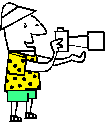
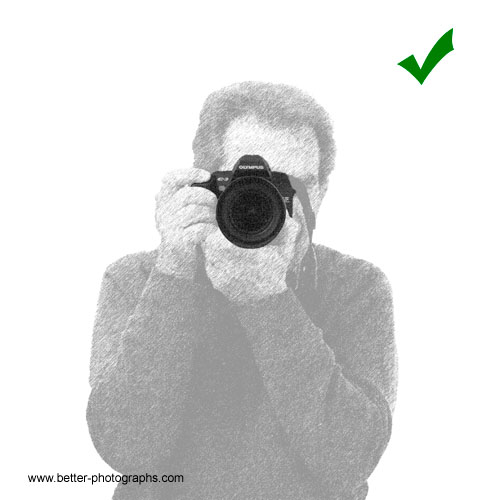
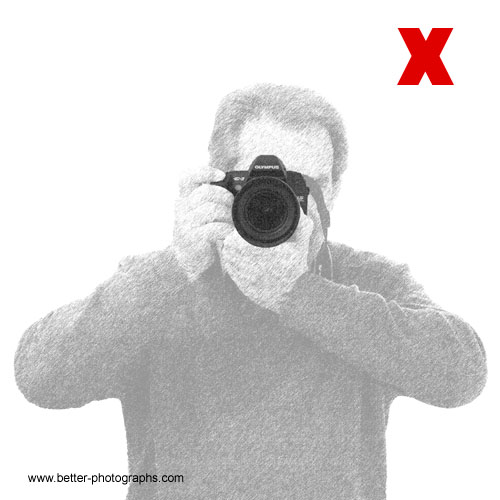
….. the camera was not steady! With the exception of those occasional photos when you want to create an artistic effect or convey a sense of movement with a slight blur, it is important to keep the camera steady. Most photographs can be taken handheld without a tripod and they will turn out pin sharp. To increase your chances of achieving this try - - Making sure you are comfortable. - Holding the camera in a way that keeps your elbows against your body or resting on a firm surface. - Using a shutter speed that is as fast as the focal length of the lens. For example - use 1/100 sec or faster for a 100 mm lens (or a lens that is zoomed to 100 mm). If the subject is moving, use an even faster speed. - Squeezing the shutter release with your finger whilst keeping the rest of your body still. AND - Make sure that the camera strap is around your neck or wrist. Cameras are expensive to repair if they are dropped.
Is there a correct/only way to hold a camera? - NO
The single most important thing in photography is to get the photograph and sometimes this means holding the camera in an uncomfortable position such as over your head or whilst leaning sideways. Never miss the shot just because you cannot get into a comfortable, ideal position. Is there a preferred way to hold a camera which photographers have found to give generally better photographs? - YES
One final point - if you are using flash, ensure that the flash is higher than the lens. Light usually comes from above us so if the light from the flash comes from below, shadows start looking a bit strange. Adopting these guidelines in your photography technique can make all the difference. |
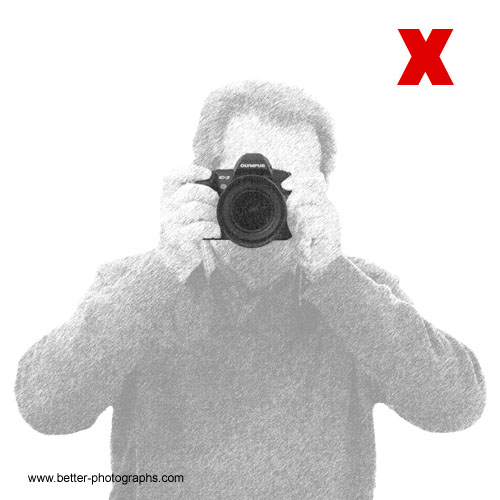
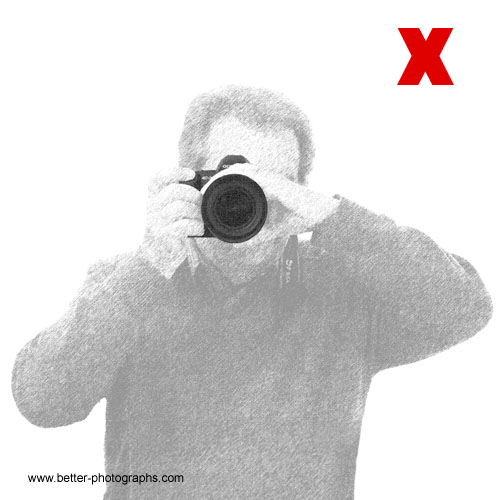
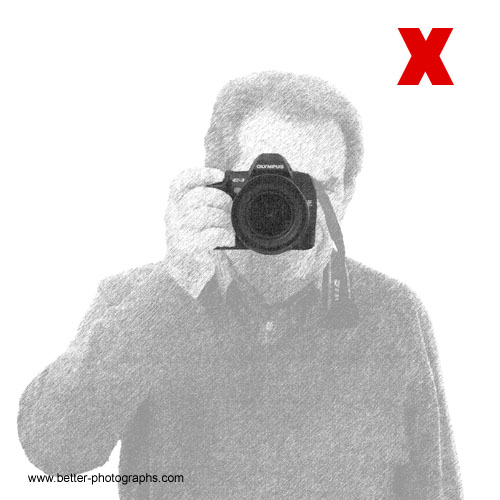
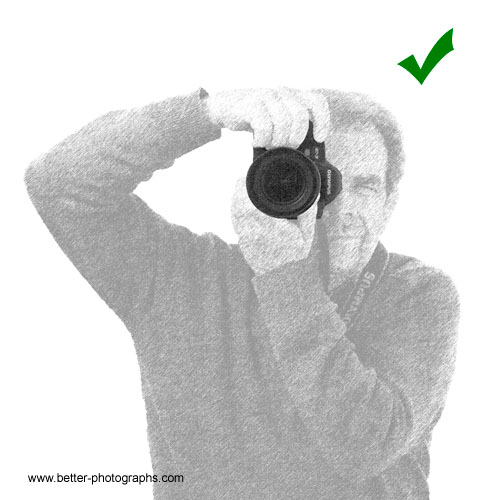

 |

| Image of the Month |
 |
| Click here to download it. |
| Find It |

Custom Search
|
| All of the advice, tutorials, masterclasses and ideas on this website are available to you at no charge. Even so, its upkeep does incur costs. |
|
| If you feel that the site has helped you then any contribution you make, however small, would go towards its ongoing maintenance and development. Thanks for your help. |
| Book of the Month |
  |
| Click here to read the review. |